SSEM on the M5Stack Tab5

I have been putting together some simulators for the Small Scale Experimental Machine (SSEM) also known as the Manchester Baby. This was originally started as a learning platform to understand how the SSEM functioned. This post shows how the SSEM simulator looks running on the M5Stack Tab5 microcontroller board.
The source code for all of the simulators is available in the Manchester Baby GitHub repository.
Hardware and Software
The Tab5 is a small development board featuring the ESP32-P4 microcontroller with SD Card and touch display. The firmware is a standard ESP-IDF application and requires version 5.5.4 of the ESP-IDF and associated tools installed in order to build and deploy the application. The sources are in the Tab5SSEM directory of the GitHub repository.
Building the Firmware
The firmware is built and flashed to the device using the command:
idf.py build flash monitor
This will also open a system monitor enabling the logging output to be displayed.
Further information about ESP-IDF can be found in the ESP-IDF Programming Guide. In theory the software could be uplifted to use the latest IDF.
Running hfr989.ssem
hfr989.ssem contains the source code for a version of the first program to be run on the SSEM. First two steps:
- Build and flash the firmware (see the above notes)
- Write the sample applications from the repository to a FAT32 SD card
Reboot the Tab5 once this is complete. The boot screen should be shown with information about the device followed by the initial system information for the SSEM simulator:
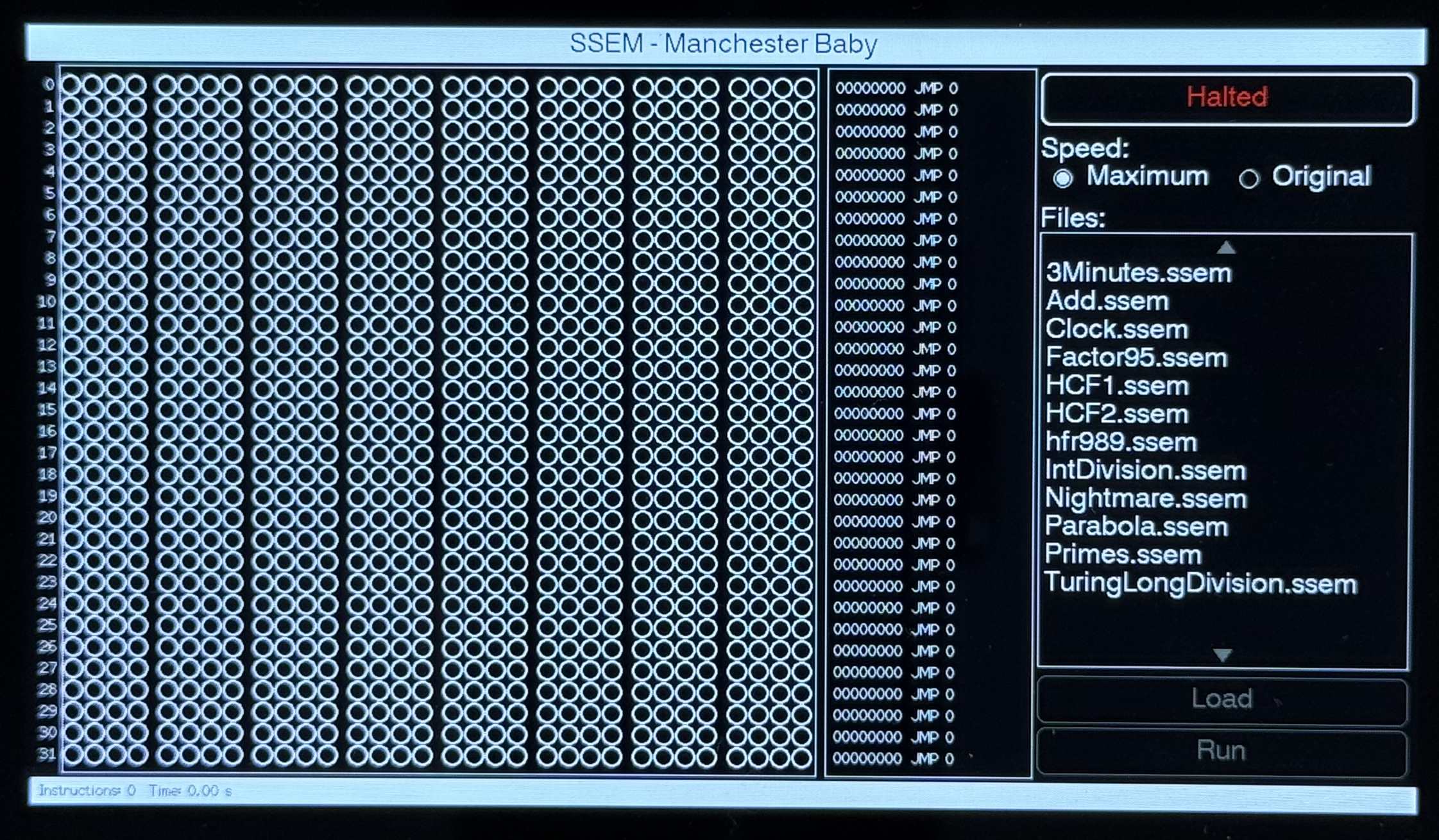
Next, select a program to run, hfr989.ssem, from the list of files on the SD Card.
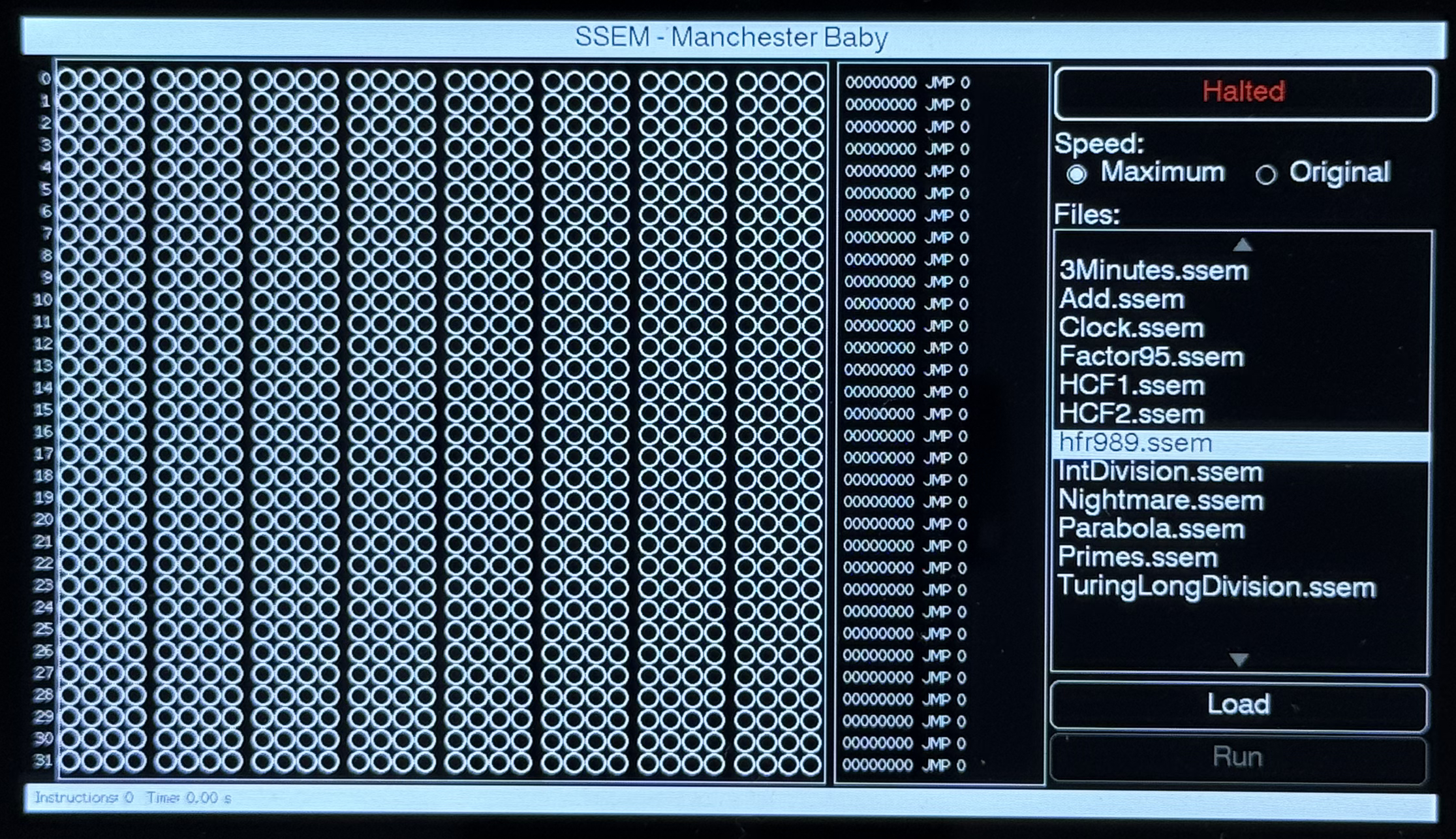
Press load to pass the file to the assembler and load the contents into the store lines:
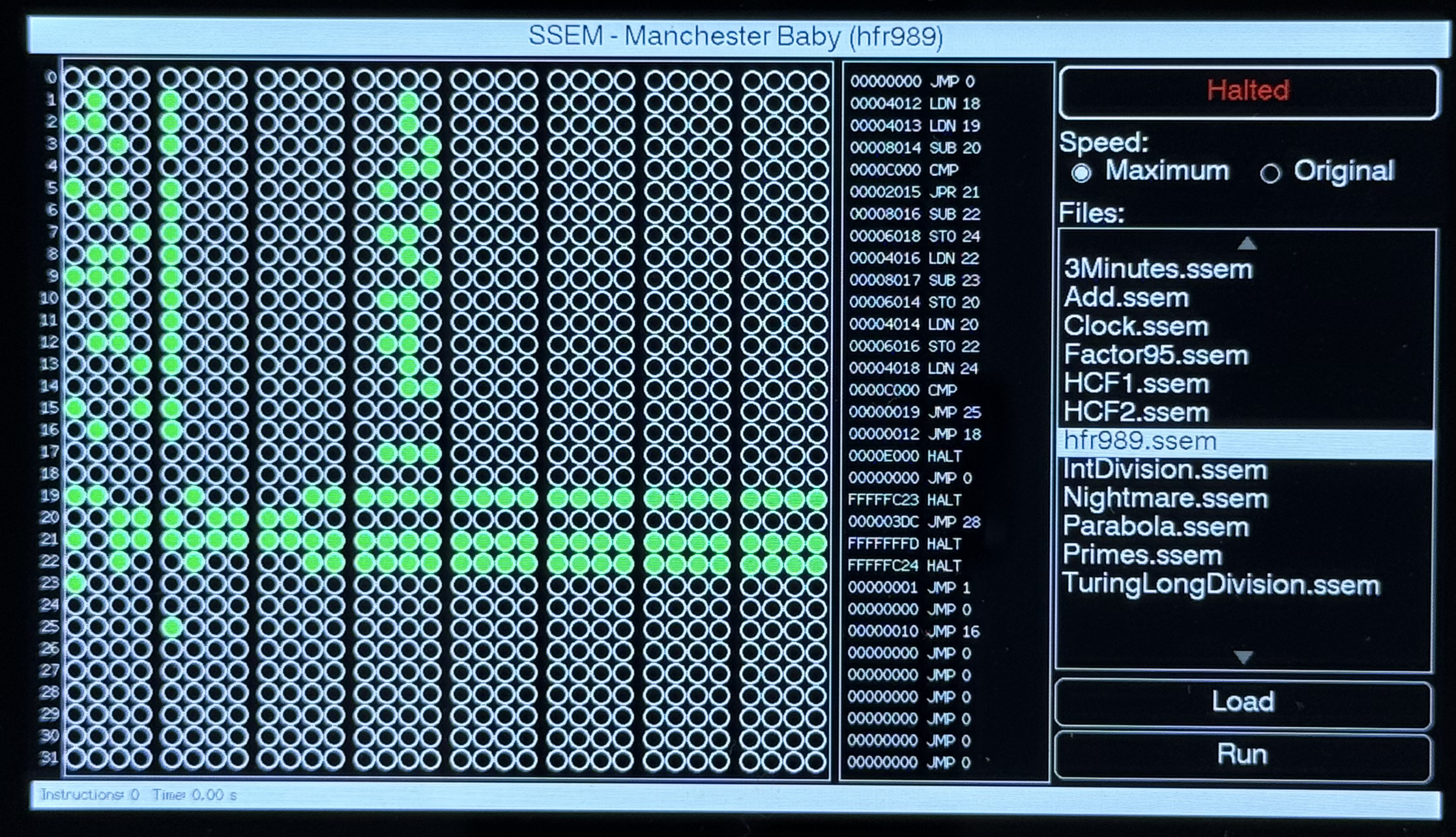
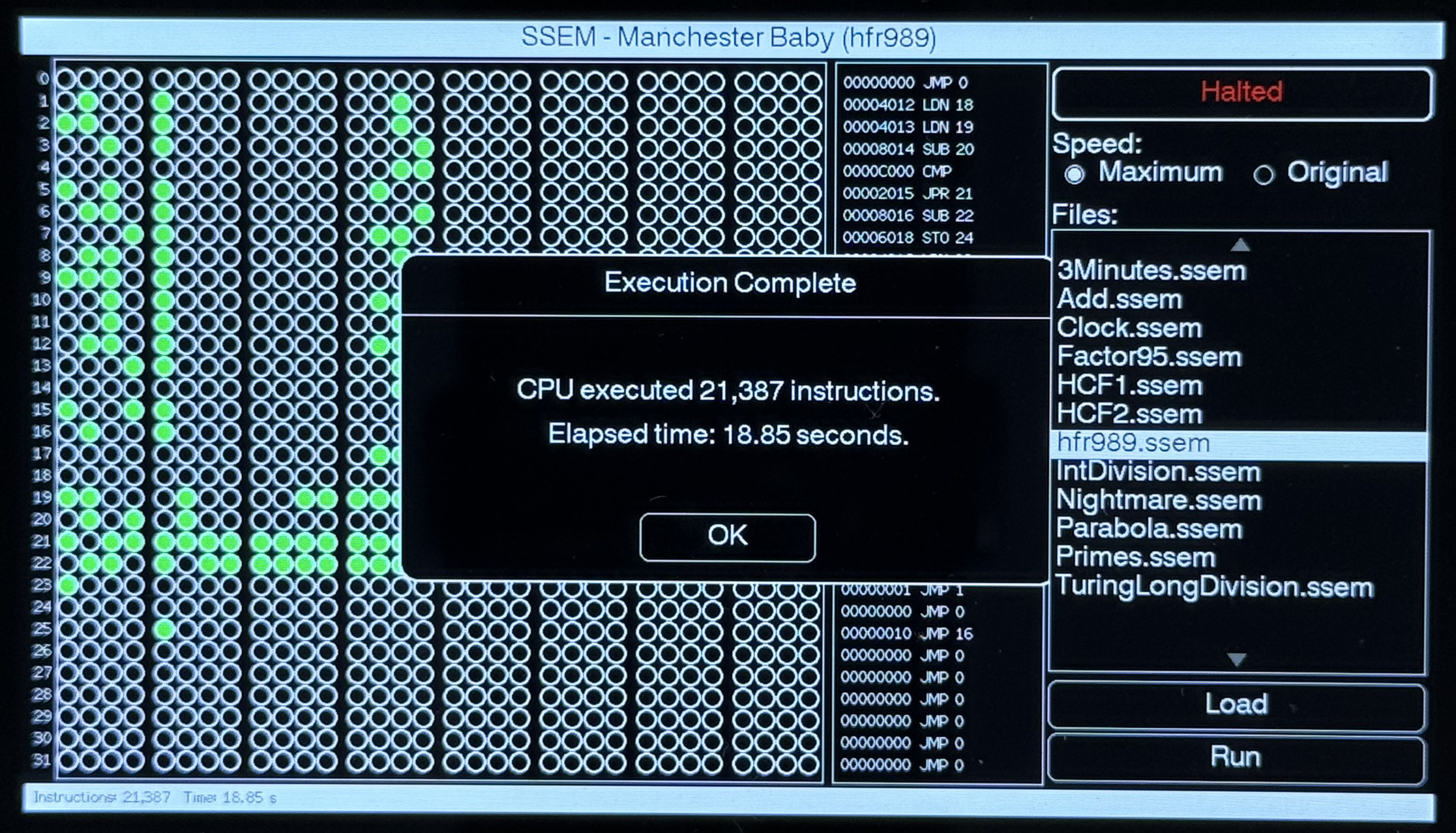
The Run button is now enabled, pressing the button should start the application. At the end of the run a dialog will show the execution time along with the number of instructions that were executed:
Pressing OK will show the final state of the store lines:
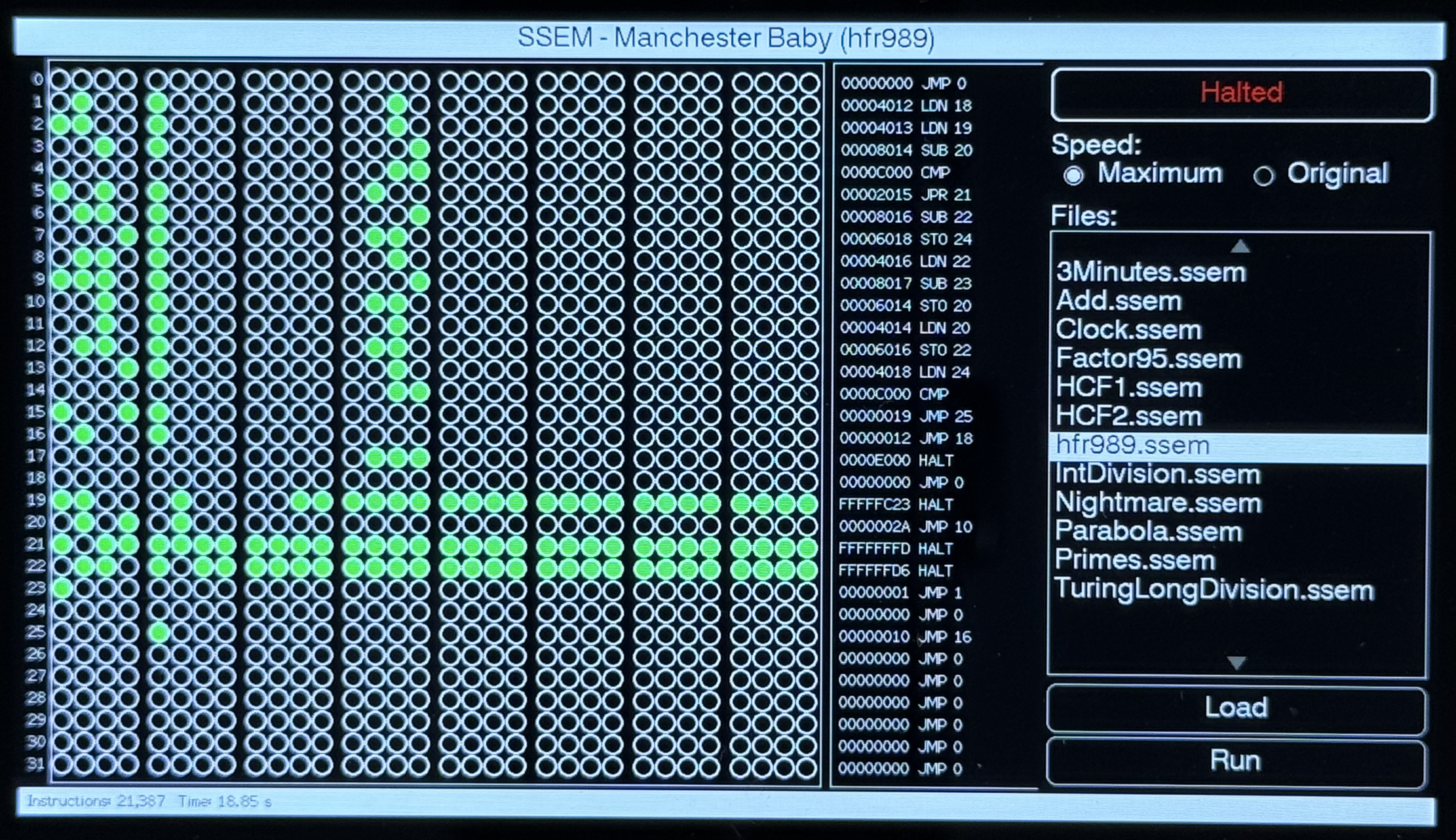
The disassembly shows the same output as seen in previous runs in Python, the desktop C++ application and the NuttX implementations.
Tags: Electronics, Software Development
Saturday, October 10th, 2026 at 3:01 pm • Electronics, Software Development • RSS 2.0 feed • leave a response or trackback